Recordings people
actually watch
Hit record. Make a few cuts. Export. That's it. No learning curve, no complexity. Just your work, looking exactly how you imagined.
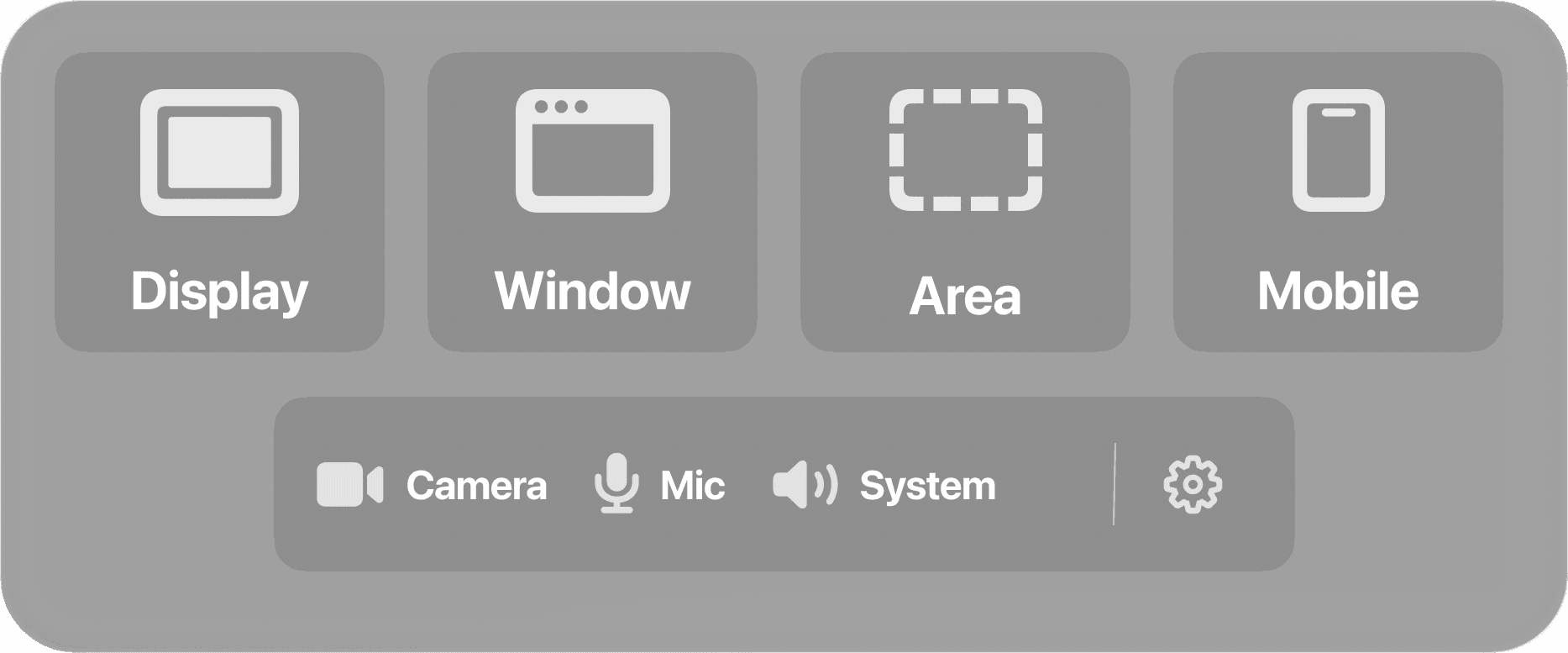
Everything you need to
capture anything
From screen recordings to mobile devices, Tuka handles it all with ease.


Create.
Don't overthink.
Built for creators who want the best of AI without losing control. The tool does the heavy lifting. The creative decisions are yours.
Record. Cut. Done.
No complicated timelines. No confusing menus. Just hit record, trim what you don't need, and you're ready to share. That simple.
Your whole workflow, one take
Code on the left, terminal on the right, browser below. Capture everything at once. No switching, no stitching. Just hit record.
Spark: Hook your audienceBeta
AI finds the most compelling moment near the end of your video and prepends it as a cold open. Your audience stays from second one.
From raw to ready in seconds
The moment you stop recording, your video is ready. No processing time. No waiting. Cut, export, share. Your content moves as fast as you do.
Words appear as you speak
Talk and see the captions write themselves. No upload, no waiting. It just happens. Even on a plane. Even without wifi.
Code on screenBeta
Overlay animated code snippets with syntax highlighting. Typewriter reveal, multiple themes. Built for developers who teach.
Yours. Only yours.
Nothing leaves your Mac. No servers. No accounts watching. Record anything without wondering who else might see it.
Silence removedBeta
Dead air in your recordings? Tuka detects and cuts silent moments so your content stays tight and engaging. No manual trimming needed.
Smart SlidesBeta
Turn your recording into clean text slides. Present your ideas in seconds.
Requires macOS Tahoe 26 or later with Apple Intelligence.
Intelligence that
lives on your Mac
Privacy-First. You create, AI helps right on your Mac without leaving your control.
Requires macOS Tahoe 26 or later with Apple Intelligence.
Finds the moments that matter (Coming Soon)
Soon you'll be able to search your recordings by text on screen. OCR-powered search is on the roadmap to make every recording instantly findable.
Never leaves your Mac
Record client work. Sensitive code. Personal projects. It all stays right here. No cloud wondering what you're up to.
Ready when you are
No upload bar. No 'processing...' spinner. Hit stop, make your cuts, export. Your content ships when you decide, not when the software catches up.
* Performance depends on video length and your machine's configuration.
Powered by Apple Intelligence
Foundation Models
running on Neural Engine
Your AI agent,
connected to Tuka
Install Tuka's local MCP connection for Codex or Claude in one click. Your agent can work with the project open in the editor while the media stays on your Mac.
Inspect the open project
Read project structure, timing, and recording evidence without uploading your video.
Create scenes
Turn a prompt into visual scenes placed directly on the Tuka timeline.
Start exports
Ask your agent to prepare supported exports and follow their progress.
Settings
AI & MCP
Connect during onboarding or later from the gear in Tuka's floating window.
Codex
Tuka MCP installed
Claude Code
Restart once to load the tools
Claude Desktop
Restart once to load the tools
Feel the difference
1 minute in and you'll get it. This is what screen recording should have always been.
One click to record
No setup, no config, just go
Edit in seconds
Trim, cut, and you're done
Share anywhere
4K exports ready to post
Simple pricing.
Full app access.
New features and updates are included while your subscription is active.
Yearly
Billed annually ($204/year)
Save $144- Record, cut, export - that's it
- Capture multiple windows at once
- Motion blur & zoom effects
- Captions that write themselves
- Device mockups & backgrounds
- Webcam overlay & mobile capture
- Simple timeline editing
- 4K exports, no watermark
- Works completely offline
- Your data never leaves your Mac
- AI cold open hooks (Spark)
- Animated code overlays
Monthly
Full access, cancel anytime
- Record, cut, export - that's it
- Capture multiple windows at once
- Motion blur & zoom effects
- Captions that write themselves
- Device mockups & backgrounds
- Webcam overlay & mobile capture
- Simple timeline editing
- 4K exports, no watermark
- Works completely offline
- Your data never leaves your Mac
- AI cold open hooks (Spark)
- Animated code overlays
Payments processed securely via Stripe.
Frequently Asked
Questions
Everything you need to know about Tuka.
Currently, Tuka is exclusively available for macOS. We're focused on delivering the best possible experience for Mac users. Windows and Linux versions may be considered in the future based on user demand.
Tuka uses Apple Intelligence and on-device models for captions, silence removal, Spark cold opens, and more. All locally on your Mac. Smart Slides (Beta) turns recordings into text slides. Code Mode overlays animated code snippets. AI helps with the tedious parts. You think, it edits.
Requires macOS Tahoe 26 or later with Apple Intelligence.
Yes! Tuka captures system audio and microphone input as separate tracks, giving you full control over your audio mix during editing. You can adjust levels independently or mute either track as needed.
Tuka exports to MP4 and GIF in multiple dimensions up to 4K. Choose the format and resolution that best fits your needs.
For iPhone/iPad, just connect via USB. Tuka detects it automatically. For Android, connect via USB and Tuka handles the rest. See our step-by-step tutorial for details.
Android recording uses scrcpy, a free helper tool you install with Homebrew. A new Android system update can break an older scrcpy version and make recordings fail or cut short. Updating usually fixes it: open Terminal, run brew upgrade scrcpy, then reconnect your device and record again.
Yes, export time varies depending on video duration, resolution, and format. Short clips export almost instantly, while longer recordings may take a bit more. All processing happens locally on your Mac.
Spark automatically finds the most compelling moment near the end of your video and prepends it as a cold open hook. Code Mode lets you overlay animated code snippets with syntax highlighting, typewriter reveal, and multiple themes. Both are in beta and included in every plan.